KTLA 5 News Los Angeles
- 3.1
- Rating
- 100.00K
- Installs
- Free
- Price

 Analysis by App-foxy
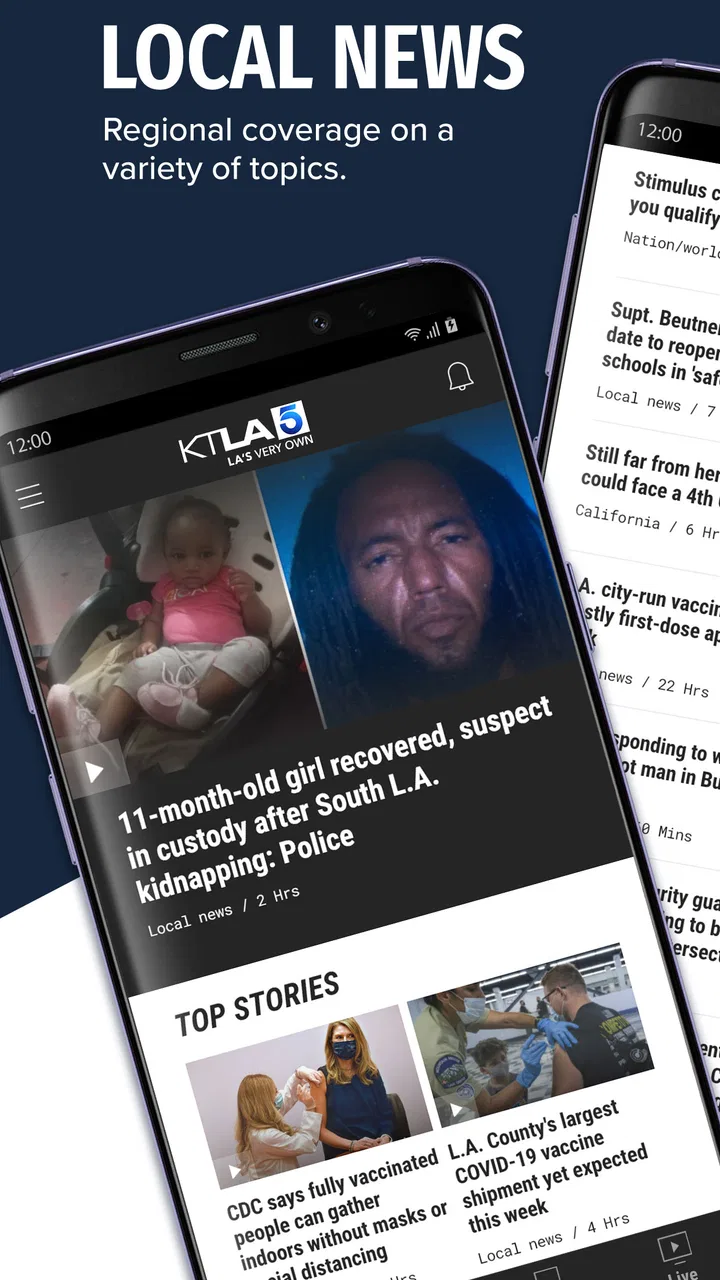
I found KTLA 5 most useful as a focused Southern California news companion rather than as a complete replacement for every news source on my phone. It brings local reporting, breaking-news alerts, and livestreaming into one place, which makes it especially practical when something is developing nearby and I want information quickly. At the same time, my experience was more convincing for immediate local awareness than for deep background reading or broad national coverage.
That distinction matters. Many news apps try to cover everything, but this one has a clearer regional identity. It comes from Nexstar Inc. and is built around KTLA’s Southern California coverage. The app is free, belongs in the news and magazine category, and carries a Teen content rating. I would recommend it to someone who wants a direct connection to local headlines, particularly if they already follow KTLA on television or recognize it as a familiar regional news source.
How KTLA 5 works in everyday use
The first thing I noticed is that the app makes sense when I treat it as a live local-news tool. I can open it to scan current stories, look for a developing report, or switch to a livestream when reading a headline is not enough. That combination gives it a more immediate feel than a traditional digital newspaper, where the main experience is usually a list of articles.
You May Also Like

 Blood Strike: 2.5 Anniversary
Blood Strike’s Loadouts Turn Every Drop Into a Tactical Gamble
A close look at Blood Strike’s custom loadouts: how fast access to signature weapons reshapes its battle royale rhythm, rewards preparation, and narrows the gap between fights.

 Pandora - Music & Podcasts
Pandora’s Music Is Easy to Start, but Harder to Recover
Pandora’s strength is its low-effort path from a seed to a station. Its weak spot is how much confidence it asks you to place in connection, setup, and quiet recovery.

 8 Ball Pool
 Is Built on Rivalries, Rematches, and Routine
A close look at the rivalries, rematches, shared routines, and unanswered safety questions that turn a quick pool match into a persistent mobile community.

 Samsung Music
’s Quiet Strength Is Playing What You Already Own
Its reach comes less from spectacle than from dependable access to a personal library. That simplicity is both the app’s strongest retention engine and its ceiling.

 AccuWeather: Weather Radar
AccuWeather Review: A Quick, Clear Forecast for Everyday Decisions
For everyday plans, the best forecast is the one you can understand quickly. AccuWeather makes rain timing, radar, and local conditions easy to act on, with a few trade-offs.

 Hill Climb Racing
Why Hill Climb Racing Still Turns Crashes Into One More Run
A tiny car, a bumpy hill and one more upgrade: Hill Climb Racing keeps resurfacing because its simple chaos makes every near-miss feel personal.
More From Our News Desk
View All News


The livestream is the feature that most clearly separates this app from a basic headline reader. When an important local story is unfolding, watching coverage can provide context that a short notification cannot. I would use it during a major traffic disruption, severe weather situation, public safety event, or other story where the sequence of events matters. The value is not simply having video available; it is having a local broadcast perspective close to the written updates.
Breaking-news alerts are another practical part of the experience. I see them as a tool that should be used selectively, not as a constant stream of interruptions. If every alert feels equally urgent, the important ones lose their impact. My advice is to keep notifications enabled if immediate local awareness is your priority, but review the device’s notification controls if the volume becomes distracting. That small adjustment can make the difference between a useful news service and an annoying one.
A realistic example would be a weekday morning when I am deciding whether to change my commute. Instead of opening several unrelated apps, I could check KTLA 5 for a local headline, read the available details, and watch the livestream if the situation appears serious or fast-moving. I would still confirm exact travel conditions through a dedicated navigation service, but the news app could explain why the disruption is happening and whether it is part of a larger local story.
That is one of the app’s strongest use cases: it adds editorial context to events that affect daily life. A map may show a delay, while a local newsroom may explain the incident behind it. Neither tool replaces the other, and I would not expect KTLA 5 to function as a traffic-navigation app. Used together, they serve different purposes.
Local focus is the main reason to install it
The app feels most worthwhile for people who live in Southern California, work there, commute through the area, or have family and friends nearby. Local reporting can be more relevant than a national news feed when the question is practical: what is happening in my neighborhood, on my route, or across the region today?
I also think it works well for people who prefer a television-news style of coverage but want access through a phone. The livestream gives the app a familiar broadcast connection, while the written stories and alerts make it easier to check information when I do not have time to sit through a full program. That mix is more flexible than relying on scheduled television alone.
However, the regional focus is also a boundary. If I mainly want international affairs, business analysis, technology reporting, or a broad national news digest, I would choose a larger general-news service alongside this app. KTLA 5 can be part of a balanced news routine, but I would not make it the only source for every subject.
The app’s current version is 508.0.0, and it supports devices running Android 7.0 or later. That makes it accessible to people using older Android hardware, although the experience can still vary depending on the phone, connection, and how smoothly video performs on that particular device. The app has been available since March 8, 2013, so it is not a new experiment; it is an established mobile extension of a regional news operation.
What I liked about the alerts and livestream
The most useful workflow is to combine the two instead of treating them as separate attractions. An alert can tell me that something deserves attention, while the livestream lets me follow the story in a more continuous way. This is particularly helpful when a situation changes quickly and a single article may not reflect the newest development immediately.
There is also a useful difference between checking the app intentionally and waiting for it to notify me. Intentional checking is better when I want a calm overview of the day. Alerts are better when I am willing to be interrupted because a local event could affect my plans. Understanding that difference helps me avoid using the app in a way that creates unnecessary stress.
Another practical tip is to open the app before sharing a dramatic headline with someone else. A notification is designed to get attention, not necessarily to provide the full story. Reading the associated report or viewing the available live coverage can prevent me from reacting to an incomplete first impression. That is a small habit, but it is especially important with fast-moving local news.
For viewers who prefer video, the livestream may become the primary reason to keep the app installed. For readers who dislike video, the written updates and alerts still give the app a purpose, but the overall identity may feel less compelling than a text-first news application. This is a genuine preference issue rather than a flaw affecting everyone.
The friction I would consider before relying on it
My main reservation is that a live-news app can encourage quick consumption without guaranteeing a complete understanding of a story. Alerts are brief by nature, and livestream coverage can be fluid, repetitive, or difficult to follow when I join in the middle. I would not use either format alone for important decisions. I would read the full report, look for later updates, and use an official source when the subject involves instructions, emergencies, or personal safety.
The app is also less attractive if I want a quiet reading experience. The urgency of breaking news is part of its appeal, but it can make the product feel event-driven rather than organized around long-form exploration. Someone who prefers carefully curated newsletters, saved articles, or extensive topic sections may find a conventional news reader more comfortable.
Video introduces another trade-off. A livestream is valuable when I have a stable connection and enough time to watch, but it is not always the most convenient way to consume news. In a crowded commute, a short written update may be easier. At home, with time to pay attention, live coverage becomes more useful. I see the video component as situational rather than universally superior.
I would also avoid assuming that a local television-news app offers the same depth as a specialist source. For weather, I might want a dedicated weather service; for route planning, a navigation app; for national politics, a broader publication; and for official emergency instructions, the relevant government channel. KTLA 5 is strongest when it adds regional reporting and live context, not when it is asked to perform every news-related job.
The average rating is 3.1 from around 4,900 ratings, with about 1,800 written reviews. I read that as a sign that the app is useful to a meaningful group of people but not universally smooth or satisfying. Ratings alone do not explain the experience, yet they reinforce my own balanced conclusion: this is a focused tool with clear value, not an effortless all-purpose news solution.
Who should install it, and who should skip it
I would point this app toward Southern California residents who want local headlines without depending entirely on television. It is also a sensible choice for commuters, parents keeping an eye on regional developments, and people who want a local broadcast stream available from a phone. If you already trust KTLA’s style of reporting, the app gives that coverage a convenient mobile format.
It can also suit someone who has recently moved to the region and wants a simple way to learn what stories are shaping the local conversation. The combination of alerts, articles, and live coverage offers several entry points: I can glance at a notification, browse when I have a few minutes, or watch when a story deserves more attention.
I would skip it if my main interest is worldwide news or if I dislike interruption-based media. I would also choose another primary app if I need strong tools for archiving, research, extensive customization, or specialist reporting. Installing KTLA 5 alongside another service can make sense, but installing it alone may leave gaps for readers with broad interests.
Because it is free, the decision is relatively easy for the right audience: try it, adjust the alerts, and judge whether the local coverage fits your routine. The absence of a purchase price removes one barrier, but it does not remove the need to decide whether the app’s regional emphasis and broadcast-oriented style match your habits.
How it compares with familiar alternatives
Compared with a general news aggregator, KTLA 5 feels more local and more connected to a specific newsroom. An aggregator may offer a wider range of publishers and topics, but its coverage can feel scattered. This app is better when I want a recognizable Southern California angle and a direct path to local live coverage.
Compared with watching KTLA on television, the phone app is more convenient for on-demand checking. I do not need to be near a television at a scheduled time, and alerts can bring a story to my attention while I am away from home. Television may still be better for a relaxed viewing session, while the app is better for quick access and mobility.
Compared with a newspaper app, KTLA 5 places more emphasis on immediacy and live presentation. A newspaper-style service may be preferable for investigative reading, opinion columns, or a slower morning routine. I would choose this app when speed and regional broadcast context matter more than a broad reading archive.
Compared with social media, the app gives me a more deliberate place to check local reports. Social feeds can surface information quickly, but they also mix firsthand posts, commentary, rumors, and unrelated material. KTLA 5 does not eliminate the need for judgment, yet it gives me a clearer editorial starting point than an unfiltered stream.
Small habits that make the app more useful
I would begin by deciding what role I want the app to play. If it is my morning local briefing, I would open it at a set time and avoid treating every alert as an emergency. If it is my rapid-response source, I would allow notifications but use the livestream and full articles to add context before drawing conclusions.
When a story affects travel or safety, I would pair the app with the appropriate specialist service rather than asking one product to do everything. KTLA 5 can explain a developing situation, while an official channel may provide instructions and a navigation tool may show the practical effect on a route. That three-part workflow is more reliable than relying on a headline alone.
I would also use the app differently depending on whether I am reading or watching. For a quick check, written headlines are efficient. For a complicated event, live video may help me understand the broader sequence. If I am distracted or short on time, I would postpone the livestream instead of assuming that watching a few seconds gives me the full picture.
Finally, I would review the app’s notification behavior after using it for several days. The right level is personal: some people need immediate updates, while others find repeated interruptions exhausting. The best experience comes from making alerts serve my routine rather than allowing them to control it.
My final assessment
KTLA 5 is a worthwhile local-news app when Southern California coverage is the priority, especially for people who value breaking alerts and live reporting. Its strengths are clear: a regional identity, a useful blend of written updates and livestreaming, and a free way to keep local developments close at hand. I found it most effective as a companion to navigation tools, official information, and a broader news source.
Its limitations are equally important. The app is not the best fit for readers seeking a complete national or international news service, deep specialist coverage, or a quiet, archive-focused reading environment. Live coverage can be less convenient than text, and alerts require sensible control to remain helpful.
With over 100,000 installs, it has reached a substantial audience without becoming a generic nationwide news product. That is exactly why I would recommend it selectively. If you live in the KTLA viewing area or regularly need Southern California updates, I think it is worth trying. If your news habits are broader or more analytical, use it as a local layer rather than your entire information system.
For me, the clearest verdict is simple: this is a focused regional news companion, not an all-purpose newsroom in your pocket. In the situation it is designed for, it can be genuinely useful; outside that situation, another app will probably serve you better.
FAQs for KTLA 5 News Los Angeles
01What features does the KTLA 5 app offer?
The KTLA 5 app provides live streaming of news broadcasts, breaking news alerts, and real-time weather updates. Users can access video clips of current news stories, as well as personalized news feeds. The app also allows for easy sharing of content via social media platforms, ensuring users stay informed and connected.
02Is the KTLA 5 app free to download and use?
Yes, the KTLA 5 app is free to download on both Android and iOS devices. While the app provides free access to most of its features, users should be aware that data charges may apply when streaming videos or using the app extensively without a Wi-Fi connection.
03Does the KTLA 5 app offer personalized notifications?
Yes, the KTLA 5 app allows users to customize their notification settings to receive alerts on topics they are interested in, such as breaking news, weather updates, and traffic reports. This feature helps users stay informed about the most relevant news stories to them, without overwhelming their device with unnecessary alerts.
04How reliable is the live streaming feature of the KTLA 5 app?
The live streaming feature of the KTLA 5 app is generally reliable, offering high-quality video with minimal buffering when used on a stable internet connection. However, users may experience occasional disruptions if their connection is weak or unstable, so ensuring a good network connection is essential for the best experience.
05Can I access past news stories on the KTLA 5 app?
Yes, the KTLA 5 app provides access to archived video clips and written articles of past news stories. This allows users to catch up on any news they might have missed. The app’s user-friendly interface makes it easy to search for specific stories or browse through recent and trending news.
Pros
- Live streaming of local news updates.
- User-friendly
- intuitive interface.
- Customizable notifications for alerts.
- Access to weather forecasts and traffic.
- High-quality video playback.
Cons
- Ads can be intrusive at times.
- Limited national news coverage.
- Occasional buffering issues.
- Requires stable internet connection.
- Some features need location access.

KTLA 5 News Los Angeles
Gallery